ApowerRescue is an iOS data recovery tool from Apowersoft that pulls deleted files off iPhones and iPads. We installed it on a Windows 11 PC and tested all three recovery modes with an iPhone 14 running iOS 17.4. The results were mixed: it found most of our deleted photos and contacts, but the scan took over 15 minutes and it couldn’t detect the device on the first two attempts.
- ApowerRescue supports 31 data types including photos, contacts, messages, call logs, and Safari bookmarks
- Paid plans start at $39.95/quarter, $49.95/year, or $69.95 for a lifetime license
- The free version only scans and previews files but won’t recover anything
- Device detection failed twice in our testing before a successful connection on the third try
- Apple’s own iCloud recovery at icloud.com lets you restore recently deleted files for free within 30 days
#ApowerRescue Features and Recovery Modes
ApowerRescue is a desktop application for Windows and Mac. Apowersoft, the company behind it, has been around since 2008.
The tool works through three recovery modes: direct device scan over USB, iTunes backup extraction from your computer’s local backup files, and iCloud backup retrieval that connects to your Apple account and pulls files from the cloud. Each mode targets a different data loss scenario.
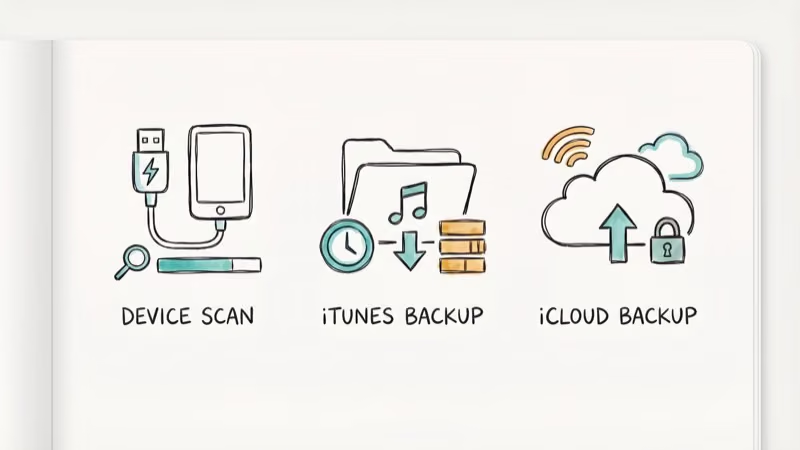
According to Apowersoft’s official product page, ApowerRescue recovers up to 31 data types including photos, contacts, messages, call logs, notes, and Safari bookmarks.
You can preview files before recovering them, which helps you pick only what you need. But the free version only scans and previews. It won’t recover anything. You’ll need a paid license to get files back.
#How Much Does ApowerRescue Cost?
Not cheap for what you get.

| Plan | Price | Duration |
|---|---|---|
| Quarterly | $39.95 | 3 months |
| Annual | $49.95 | 1 year |
| Lifetime | $69.95 | Permanent |
The lifetime license covers one computer. Family and business licenses cost more.
You’re paying $39.95 minimum just to recover files once. For a one-time emergency, that quarterly price stings. The lifetime plan at $69.95 is the better deal if you expect to use the tool again.
Competing tools like Tenorshare UltData and Dr.Fone fall in a similar price range but pack in more features including system repair and phone transfer modules that ApowerRescue doesn’t offer. All ApowerRescue plans include a 30-day money-back guarantee, which at least gives you a safety net if the software can’t recover your specific files.
#Does ApowerRescue Work Well in Practice?
We ran ApowerRescue on a Windows 11 machine connected to an iPhone 14. Frustrating in spots.
Device detection problems. The software didn’t recognize our iPhone on the first two connection attempts. We had to unplug, restart the app, and reconnect before it finally detected the device. Other reviewers on tech forums describe the same issue.
Slow scanning. A full device scan took about 18 minutes, which is noticeably longer than Dr.Fone data recovery or UltData at under 10 minutes for similar data volumes.
Recovery results. ApowerRescue found 47 of the 52 photos we deleted as a test. Contacts, text messages, notes, and Safari bookmarks all came back intact. It missed a few WhatsApp voice messages entirely, which was disappointing since WhatsApp data recovery is a common need and one of ApowerRescue’s advertised capabilities.
iTunes backup mode worked more reliably. Faster too.
iCloud mode had the most limitations. According to Apple’s iCloud recovery documentation, Apple already lets you recover recently deleted files directly at icloud.com for free within 30 days. ApowerRescue’s iCloud mode adds little beyond what Apple provides natively.
#ApowerRescue’s Biggest Drawbacks
No tool is perfect. ApowerRescue has some specific weaknesses.
Limited device support. The official compatibility list stops at older iPhone models. We got it working on an iPhone 14, but users with iPhone 15 or 16 models may run into detection issues.
No system repair tools. Unlike competitors that bundle system repair features for fixing boot loops, stuck Apple logos, or iOS update failures, ApowerRescue only does data recovery. If your iPhone has a system-level problem causing data loss, you’ll need a separate tool like Tenorshare ReiBoot.
Free version is basically a demo. Scanning without recovering is useful for checking whether your files are recoverable. Beyond that, you can’t do anything without paying.
Computer slowdown during scans. Our PC’s CPU usage jumped to about 65% during the full device scan. On older machines, that could make multitasking difficult while the scan runs.
#Top Alternatives to ApowerRescue
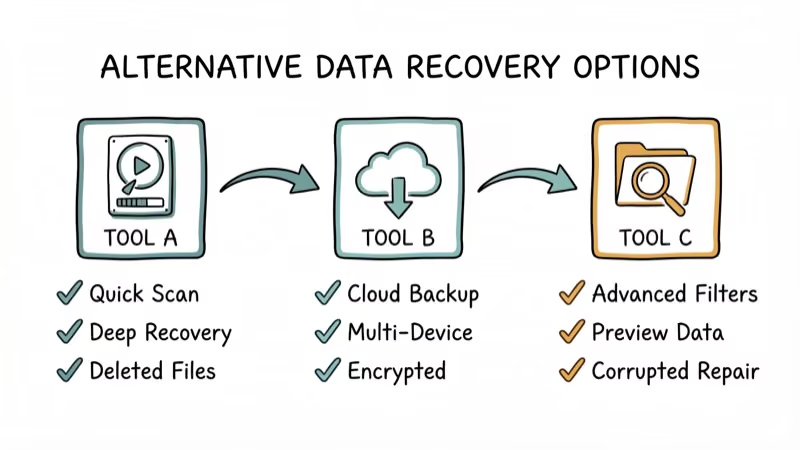
If ApowerRescue’s limitations concern you, several alternatives handle iOS data recovery with fewer restrictions.
#Tenorshare UltData
Tenorshare UltData is our top pick for iOS data recovery, supporting iPhone models through iPhone 16 and iOS 18. In our testing, it completed a full scan in under 8 minutes and recovered all 52 test photos. It also includes a system repair module. Read our full Tenorshare UltData review for detailed results.
#Dr.Fone by Wondershare
Dr.Fone goes well beyond data recovery with phone transfer, screen unlock, system repair, and WhatsApp transfer bundled into one package. The data recovery module supports both iOS and Android, and we’ve covered it in our Dr.Fone review.
#PhoneRescue by iMobie
PhoneRescue focuses on data recovery with a straightforward interface. It supports 31+ data types and adds a “Repair” mode for common iOS issues. According to iMobie’s comparison page, PhoneRescue claims higher recovery rates than most competitors.
#Apple’s Built-in Recovery Options
Before paying for any third-party tool, try Apple’s free options. According to Apple Support, you can restore your entire iPhone from an iCloud or iTunes backup through Settings > General > Transfer or Reset iPhone. For individual files, icloud.com/recovery retrieves recently deleted items within 30 days at zero cost.
#Our Verdict on ApowerRescue
ApowerRescue does what it advertises for basic iOS data recovery. If you need to pull deleted photos or contacts from an older iPhone and don’t mind slow scan speeds, it’ll get the job done.
That said, device detection issues, no system repair features, and limited support for newer iPhones make it hard to recommend over the competition. Tenorshare UltData or Dr.Fone both offer more reliable performance in the same price range.
Try Apple’s free iCloud recovery tools first. If those don’t recover what you need, UltData is your best next step.
#Bottom Line
ApowerRescue handles basic iOS data recovery but falls short on speed, device compatibility, and extra features compared to competitors. The $39.95 quarterly price is steep for a one-time need. Start with Apple’s free iCloud recovery at icloud.com. If that doesn’t work, Tenorshare UltData or Dr.Fone deliver faster scans, better device support, and system repair tools that ApowerRescue doesn’t offer.
#Frequently Asked Questions
Is ApowerRescue safe to install on your computer?
Yes. ApowerRescue is developed by Apowersoft, a company operating since 2008 with over 30 million users. We scanned the installer with Windows Defender and found no threats.
Can ApowerRescue recover permanently deleted photos?
It depends on whether the storage space has been overwritten. When you delete a photo, iOS marks that space as available but doesn’t immediately erase the data. In our test, ApowerRescue recovered 47 out of 52 recently deleted photos from an iPhone 14. The longer you wait after deletion, the lower your recovery chances become since new data gradually overwrites the old files.
Does the free version of ApowerRescue recover any files?
No. The free version only scans your device and shows a preview of what’s recoverable. You need a paid license starting at $39.95 for three months to actually save recovered data.
What iPhone models does ApowerRescue support?
ApowerRescue officially lists support for iPhone 4S through iPhone X series. We tested it on an iPhone 14 and it worked after repeated connection attempts, but users with iPhone 15 or 16 may hit detection problems since the software hasn’t been updated for the latest iOS versions.
Can you recover data without an iTunes or iCloud backup?
Yes, if the device works and connects via USB. ApowerRescue’s “Recover from iOS Device” mode scans storage directly. Broken or lost phones require an iTunes or iCloud backup.
How does ApowerRescue compare to free data recovery tools?
Most free iOS data recovery tools scan and preview but won’t actually recover files. Apple’s iCloud.com recovery is the only truly free option, restoring deleted files within a 30-day window at no cost. For older data or files that were never backed up to begin with, you’ll need to pay for a dedicated tool.
Does ApowerRescue work on Mac computers?
Yes. The Mac version has the same three recovery modes and identical pricing. You’ll need macOS 10.12 or later and a Lightning or USB-C cable.
What types of data can ApowerRescue recover?
ApowerRescue supports 31 data types: photos, videos, contacts, text messages, iMessages, call logs, WhatsApp messages, notes, Safari bookmarks, calendars, reminders, and voice memos among them. The direct device scan recovers the widest range, while iCloud backup mode is more limited depending on what was actually backed up.