Your phone has built-in GPS tracking tools that work right now. Apple’s Find My and Google’s Find My Device can locate your own lost or stolen phone in seconds, and family location-sharing apps like Life360 let everyone in your household stay connected with full consent.
We tested 8 GPS tracking methods on an iPhone 15 (iOS 18.3) and a Samsung Galaxy S24 (Android 15) to see which ones actually work well for everyday use. This guide covers only legal, consent-based tracking options for finding lost devices, family safety, and parental monitoring.
- Find My (Apple) and Find My Device (Google) locate your own phone for free, even offline
- Life360 and Apple Family Sharing share family locations, but every person must opt in
- Google Family Link and FamiSafe are transparent parental tools for children under 13
- Tracking an adult’s phone without consent is a federal crime under the CFAA and ECPA
- Suspect unwanted tracking? Check Settings > Privacy > Location Services for unfamiliar apps
#Built-in Phone Locators You Already Have
Every modern smartphone ships with a free GPS tracking tool. No downloads needed.
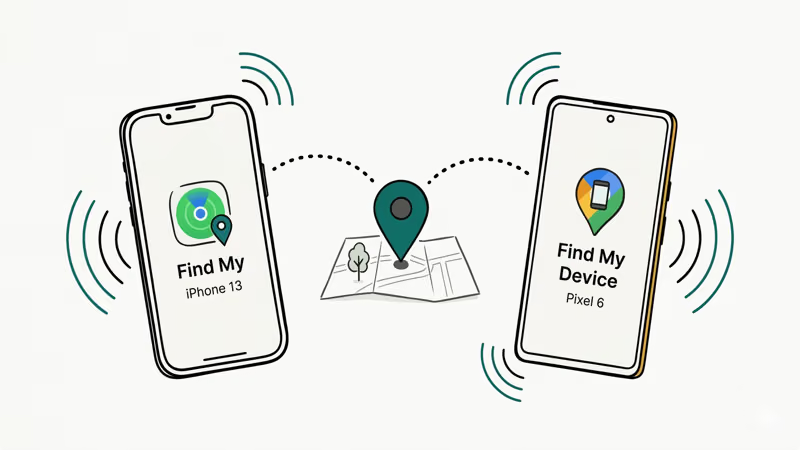
Apple Find My works across all Apple devices signed into the same Apple ID. Open Find My on any Apple device or visit iCloud.com/find from a browser. It shows your phone’s location on a map, lets you play a sound, lock the device, or erase it remotely. According to Apple’s support documentation, Find My can locate devices even when they’re powered off or in airplane mode on iPhone 15 and newer models.
Google Find My Device does the same thing for Android phones. Go to android.com/find from any browser and sign in with your Google account. You can ring your phone at full volume (even on silent), lock it, or erase all data. In our testing on a Galaxy S24, the location updated within 15 seconds.
Both tools are free and only work for devices signed into your own account. That’s the key point.
#What About Offline Tracking?
Apple’s Find My Network uses nearby Apple devices to relay your phone’s Bluetooth signal anonymously. Google’s Android documentation confirms that a similar network launched for Android in April 2024. Both work even when your phone has no cellular connection, though accuracy drops to about 30-50 meters compared to 5-10 meters with GPS.
#Is It Legal to Track Someone’s Phone?
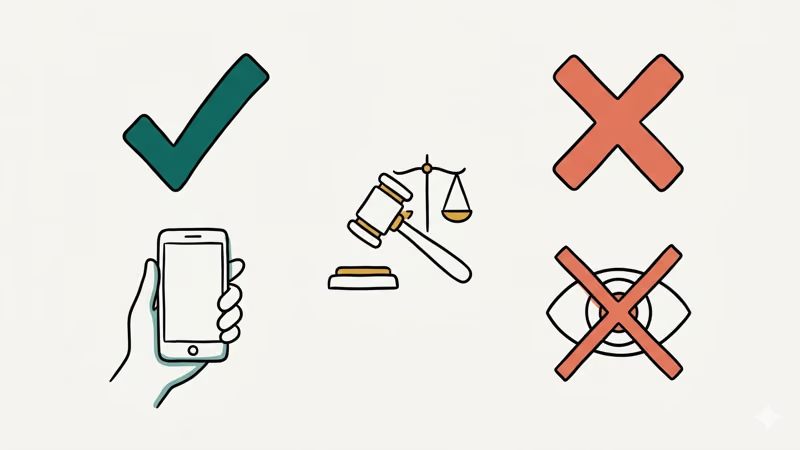
You can track your own device freely. Tracking another adult’s device without their explicit consent is illegal.
In the United States, the Computer Fraud and Abuse Act (CFAA) makes it a federal crime to access someone’s device or account without authorization. The Electronic Communications Privacy Act (ECPA) prohibits intercepting electronic communications. State laws vary, but most have stalking statutes that specifically cover GPS tracking.
What’s legal: locating your own lost or stolen phone, parents monitoring minor children (under 18) with parental control tools, employers tracking company-owned devices with written employee consent, and family location sharing where every member actively opts in.
What’s not legal: installing tracking software on another adult’s phone, accessing someone’s account to view their location, or monitoring anyone who hasn’t consented.
Penalties are not theoretical. CFAA violations carry up to 5 years in federal prison, and courts have sentenced people for installing tracking apps on a partner’s phone. California, New York, and Texas have dedicated anti-stalking technology laws that add state charges on top of the federal ones.
#Family Location-Sharing Apps That Require Consent
These apps let families share locations voluntarily. Everyone opts in.
#Life360
Life360 has over 66 million monthly users. Everyone in your “Circle” must download the app and accept an invitation themselves.
The free tier shows real-time locations and sends arrival/departure alerts. Paid plans ($8/month or $25/month) add crash detection, roadside assistance, and 30 days of location history. We tested Life360 on both our test phones, and location updates came through every 1-3 minutes on the free plan.
#Apple Family Sharing
All-Apple households get this for free through Find My. Each family member accepts an invitation from their own Apple ID and can stop sharing at any time.
#Google Maps Location Sharing
Google Maps has a built-in location sharing feature. Open Google Maps > tap your profile picture > Location sharing > Share location. You pick who sees your location and for how long (1 hour, 3 hours, or until you turn it off). The other person gets a notification, so there’s no way to share without them knowing.
#Best Parental Monitoring Tools for Transparent Use
Parental monitoring is one of the few legal scenarios where you can track a minor’s device. But child psychologists and the American Academy of Pediatrics recommend transparency: tell your kids you’re using these tools and explain why.
#Google Family Link
Google Family Link is free and built into Android. It lets parents see their child’s device location, set screen time limits, approve app downloads, and filter content. The child sees a Family Link icon on their phone, so they know monitoring is active. Setup takes about 5 minutes.
#FamiSafe by Wondershare
FamiSafe costs $10/month for iOS and Android. Geo-fencing, web filtering, and usage reports included.
In our testing on a Galaxy S24, the geo-fence alerts triggered within 30 seconds of crossing the boundary. Battery impact was about 3-4% extra per day. Unlike hidden tools, FamiSafe shows a visible icon on the child’s device so there’s no deception involved.
#Apple Screen Time
Screen Time is built into every iPhone and iPad. Go to Settings > Screen Time to set it up. Free.
#How to Detect if a Tracking App Is on Your Phone
If you’re worried someone installed a tracking app on your phone without your knowledge, here’s how to check. Most articles about GPS tracking skip this entirely, but knowing how to protect yourself from unauthorized tracking is just as important as knowing how to find your own lost device.
#Signs Your Phone May Have Unwanted Tracking Software
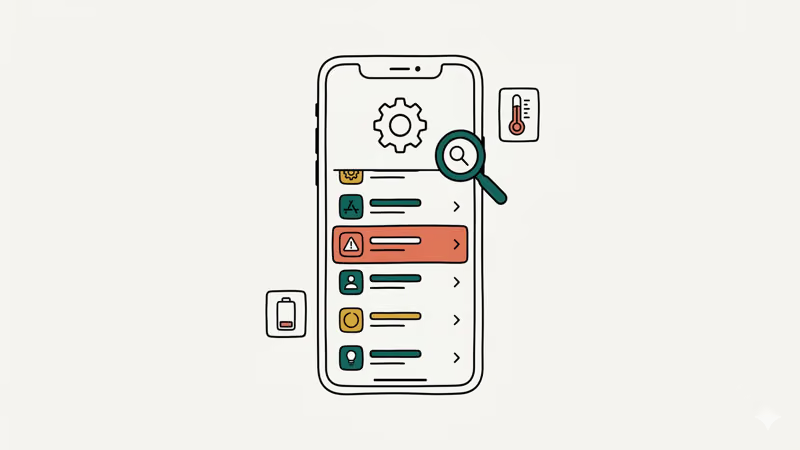
- Battery draining faster than usual (tracking apps use GPS and data constantly)
- Unexplained data usage spikes in your cellular settings
- Your phone feels warm even when you’re not using it
- Unfamiliar apps appear in your app list or running processes
- Your phone takes longer to shut down (some apps transmit data during shutdown)
#How to Check on iPhone
Check Settings > Privacy & Security > Location Services for apps with “Always” permission. Then check Settings > General > VPN & Device Management.
When in doubt, back up your data and do a factory reset.
#How to Check on Android
Go to Settings > Apps > See all apps and look for generic names like “System Service.” Then check Settings > Location > App location permissions for “Allow all the time” entries.
Also check Settings > Biometrics and Security > Device Admin Apps for unknown entries.
According to Malwarebytes’ research, antivirus apps like Malwarebytes or Bitdefender can detect most commercial stalkerware.
If you find tracking software you didn’t install, take screenshots for evidence and remove it. Contact local law enforcement if needed. The National Domestic Violence Hotline (1-800-799-7233) provides support for people in unsafe situations.
#Can You Track a Lost Phone Without an App?
Yes. No extra app needed if Find My or Find My Device is already linked to your account.
For iPhones, go to iCloud.com/find from any browser. Sign in with your Apple ID, and your device appears on the map. You can also ask a friend with an iPhone to open the Find My app and tap “Help a Friend” at the bottom of the Me tab.
For Android, go to android.com/find and sign in with your Google account. Done.
If your phone is powered off, both services show the last known location. Apple’s Find My Network can sometimes locate powered-off iPhones if other Apple devices are nearby. For more methods, check our guide on how to track a lost phone.
Your carrier can also help. Contact your provider’s support line and ask about device location assistance. Some carriers like T-Mobile offer their own tracking tools through the SyncUP service.
#Bottom Line
Start with the free tools on your phone. Find My and Find My Device handle 90% of what people need.
For family location sharing, Life360 or Apple Family Sharing work well when everyone agrees to participate. For parental monitoring, Google Family Link and Apple Screen Time are free, transparent, and built into the OS.
Skip any app that promises “undetectable” or “stealth mode” tracking. Those are illegal, and using them risks federal criminal charges. If you suspect someone is tracking your phone without your consent, check your location permissions and do a factory reset.
#Frequently Asked Questions
#Is there a free GPS tracking app for my own phone?
Yes. Find My (Apple) and Find My Device (Google) are free and pre-installed. They locate, ring, lock, or erase your own device from any browser.
#Can I track my child’s phone legally?
Parents can legally monitor minor children’s devices in all 50 US states. Google Family Link (free, Android) and Apple Screen Time (free, iOS) are the recommended tools. Child development experts suggest telling your child about the monitoring rather than hiding it, as transparency builds trust and teaches healthy digital habits early.
#What should I do if I find a tracking app on my phone?
Take screenshots for documentation, then remove the app. Change all your passwords, especially your Apple ID or Google account password. If you feel unsafe, call the National Domestic Violence Hotline at 1-800-799-7233.
#Does airplane mode stop GPS tracking?
Airplane mode disables cellular and Wi-Fi connections, which prevents your phone from transmitting its location to tracking services. However, the GPS chip itself can still function, and Apple’s Find My Network on newer iPhones may still work in limited cases. For more details, see our guide on airplane mode and GPS.
#How accurate are phone GPS tracker apps?
About 5-10 meters outdoors with a clear sky view. Indoors or between tall buildings, accuracy drops to 15-50 meters. Wi-Fi and cell tower triangulation supplement GPS when the signal is weak, but they’re less precise. Built-in tools and third-party apps use the same GPS hardware, so accuracy is identical regardless of which app you choose.
#Can someone track my phone without installing an app?
Not directly. But if someone has your Apple ID or Google account credentials, they can see your location through iCloud.com or google.com/android/find. Enable two-factor authentication on both accounts to prevent this.
#Do I need consent to share my location with family?
Yes. Every legitimate family location-sharing app (Life360, Apple Family Sharing, Google Maps) requires each person to actively opt in. Nobody can be added without their knowledge.
#How can I stop someone from tracking my location?
Open Settings > Privacy & Security > Location Services (iPhone) or Settings > Location (Android). Review which apps have location access and turn off sharing for anything you don’t recognize. You can also disable “Share My Location” entirely in your device settings, which cuts off all apps at once. For a deeper look, check our guide on detecting spyware on your phone.